Skip to content
Browse all functions

Extract Data from PDF

files/extractpdfdata

extractpdfdata (Extract Data from PDF) is a 1001fx API function in the group Files & PDF: POST https://api.1001fx.com/files/extractpdfdata, 13 credits per item. It works as a ready-made module in Make or as a plain HTTP call.

Extracts the fields you name (e.g. invoice number, total, date) from a PDF – also scanned – as structured JSON. Name the fields with a short description; missing values come back as null. Works with scanned documents, photos, tables and handwriting. Processed in the EU by Mistral AI (no training on your data). Charged per page (13 credits), at most 8 pages per call.

Try it in the 1001fx app

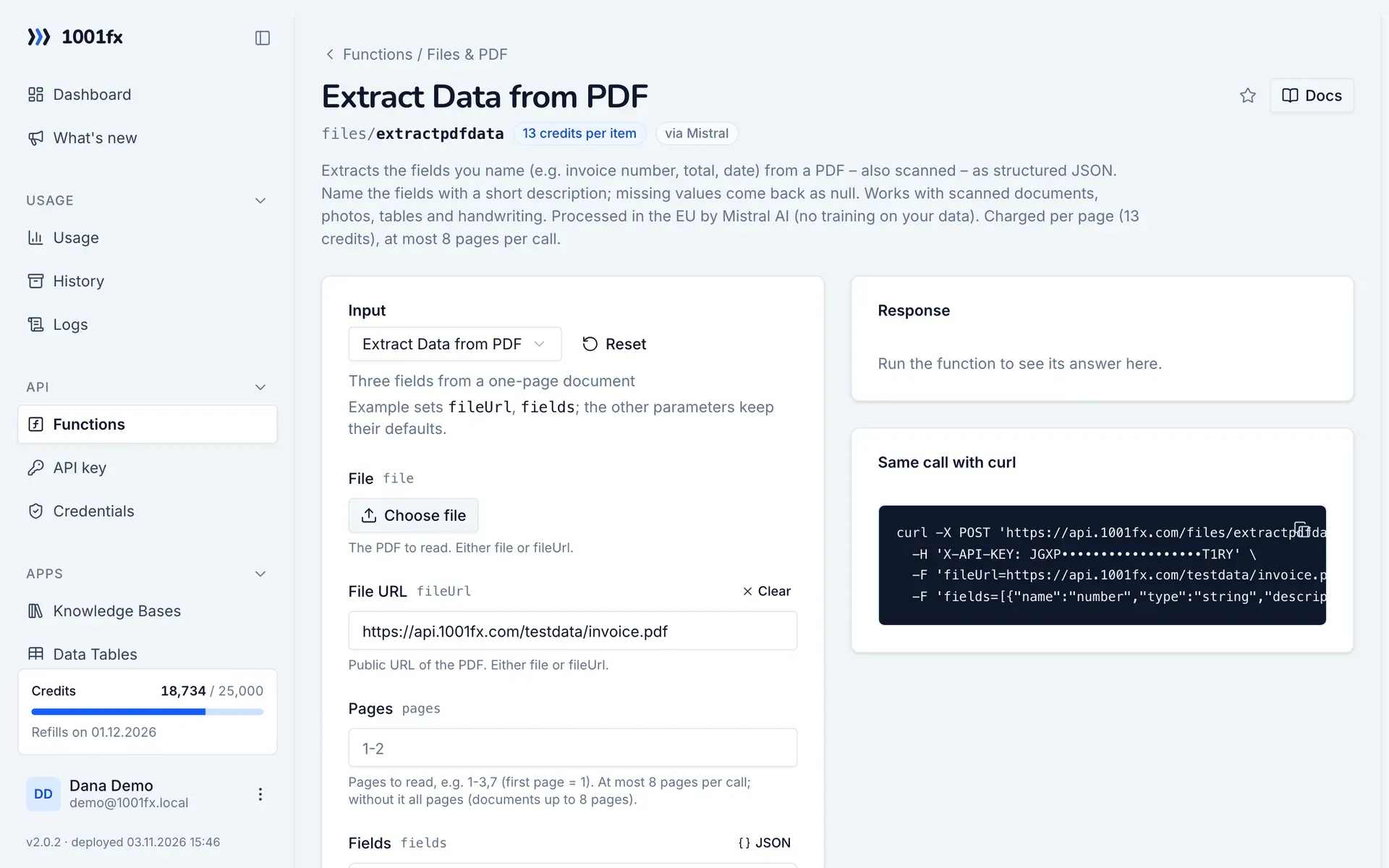
Run extractpdfdata in your browser with your API key – fill the form, click Run and get the answer or the file.

extractpdfdata in the 1001fx app: the form with example values
Extract Data from PDF in the 1001fx app

Endpoint

POSThttps://api.1001fx.com/files/extractpdfdata
Header
X-API-KEY: YOURSECRETAPIKEY How to
Content type
multipart/form-data

Parameters

  • filefileoptional

    The PDF to read. Either file or fileUrl.

  • fileUrlstringoptional

    Public URL of the PDF. Either file or fileUrl.

    Example:
    https://api.1001fx.com/testdata/invoice.pdf
  • pagesstringoptional

    Pages to read, e.g. 1-3,7 (first page = 1). At most 8 pages per call; without it all pages (documents up to 8 pages).

    Example:
    1-2
  • fieldsarray<object>optional

    Fields to extract. Either fields or jsonSchema.

    • namestringrequired

      Key in the result (letters, digits, _).

      Example:
      invoiceNumber
    • typeenumoptional

      string (default), number, boolean, date (YYYY-MM-DD), array, object.

      Values:
      string
      number
      boolean
      date
      array
      object
      Default:
      string
    • descriptionstringoptional

      What to look for – the clearer, the better the result.

      Example:
      Invoice number
  • jsonSchemaobjectoptional

    For experts: a JSON schema of the result instead of fields.

Examples

Extract Data from PDF

Three fields from a one-page document

Input

Expects multipart/form-data or a json body
{
  "fileUrl": "https://api.1001fx.com/testdata/invoice.pdf",
  "fields": [
    {
      "name": "number",
      "type": "string",
      "description": "Document number"
    },
    {
      "name": "date",
      "type": "date",
      "description": "Document date"
    },
    {
      "name": "total",
      "type": "number",
      "description": "Gross total"
    }
  ]
}

Output · HTTP 200

Response
{
  "statusCode": 200
}
Show curl command
curl -X POST 'https://api.1001fx.com/files/extractpdfdata' \
  -H 'X-API-KEY: YOURSECRETAPIKEY'

Use cases

Try extractpdfdata now

Run it in your browser or create a free account and get 100 credits every month.

Changelog

  • 1.0.001.11.2026created
Ask 1001fx