Skip to content
Browse all functions

OCR PDF – Extract Text from PDF

files/ocrpdf

ocrpdf (OCR PDF – Extract Text from PDF) is a 1001fx API function in the group Files & PDF: POST https://api.1001fx.com/files/ocrpdf, 6 credits per item. It works as a ready-made module in Make or as a plain HTTP call.

Reads the text of a PDF – also scanned PDFs – as Markdown or plain text, with tables, headings and embedded images. Works with scanned documents, photos, tables and handwriting. Processed in the EU by Mistral AI (no training on your data). Charged per page (6 credits), at most 8 pages per call.

Use cases

  • Make scanned contracts searchable and store the text in a database
  • Feed scanned documents as Markdown into an AI step
  • Read tables from PDF reports and process them further

Try it in the 1001fx app

Run ocrpdf in your browser with your API key – fill the form, click Run and get the answer or the file.

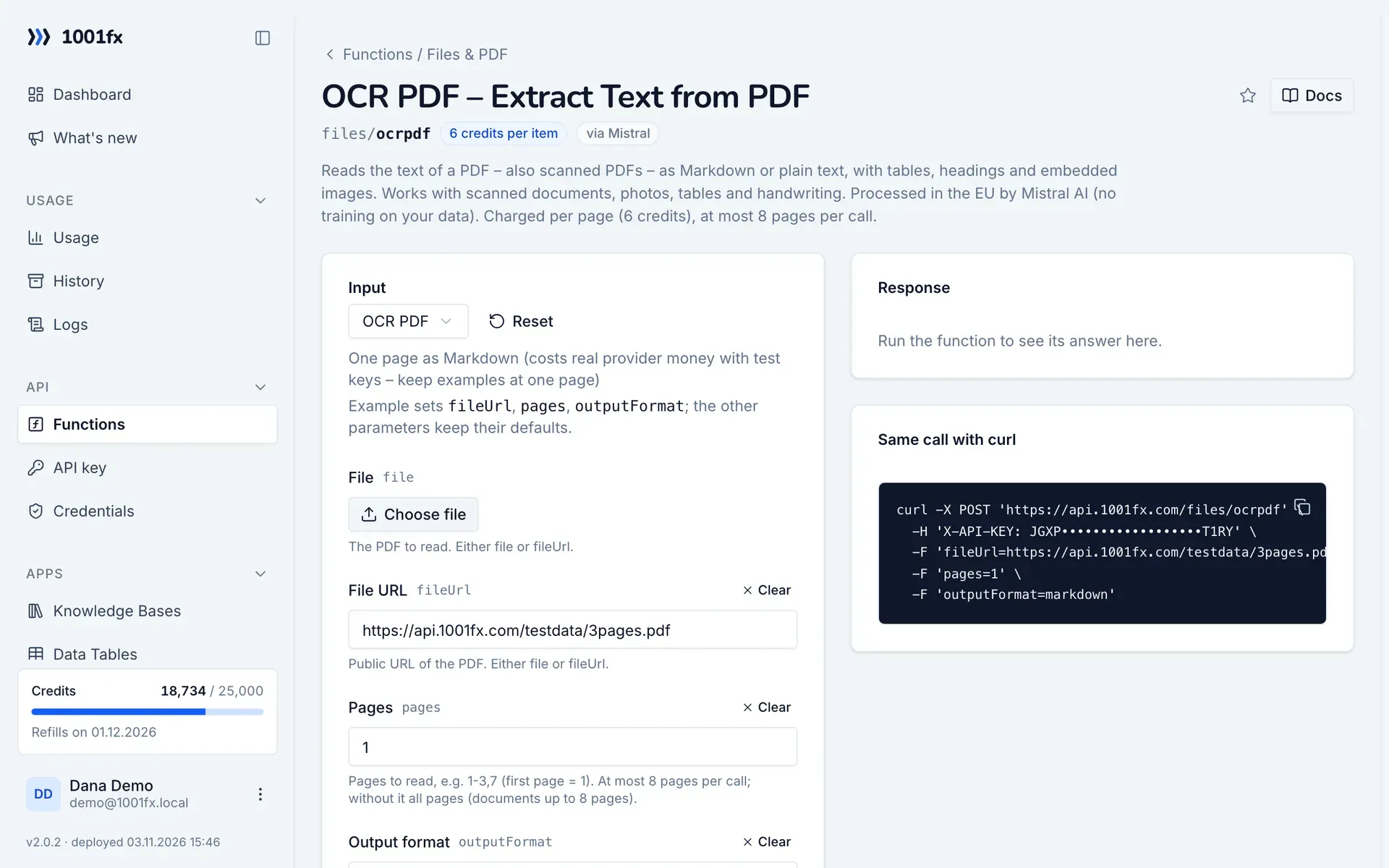
ocrpdf in the 1001fx app: the form with example values
OCR PDF – Extract Text from PDF in the 1001fx app

Endpoint

POSThttps://api.1001fx.com/files/ocrpdf
Header
X-API-KEY: YOURSECRETAPIKEY How to
Content type
multipart/form-data

Parameters

  • filefileoptional

    The PDF to read. Either file or fileUrl.

  • fileUrlstringoptional

    Public URL of the PDF. Either file or fileUrl.

    Example:
    https://api.1001fx.com/testdata/3pages.pdf
  • pagesstringoptional

    Pages to read, e.g. 1-3,7 (first page = 1). At most 8 pages per call; without it all pages (documents up to 8 pages).

    Example:
    1-2
  • outputFormatenumoptional

    markdown (default) keeps headings and tables; text is plain text.

    Values:
    markdown
    text
    Default:
    markdown
  • tableFormatenumoptional

    inline (default): tables as Markdown in the text; markdown or html: tables separately in pages[].tables.

    Values:
    inline
    markdown
    html
    Default:
    inline
  • extractHeaderFooterbooleanoptional

    Return page headers and footers separately instead of in the text.

    Default:
    false
  • extractImagesenumoptional

    urls (default): photos and figures as download links (48 h) in the text and in pages[].images; base64: inline; none: left out.

    Values:
    urls
    none
    base64
    Default:
    urls
  • describeImagesbooleanoptional

    Adds a short description of every image, chart and figure. Costs 18 instead of 6 credits per page.

    Default:
    false

Examples

OCR PDF

One page as Markdown (costs real provider money with test keys – keep examples at one page)

Input

Expects multipart/form-data or a json body
{
  "fileUrl": "https://api.1001fx.com/testdata/3pages.pdf",
  "pages": "1",
  "outputFormat": "markdown"
}

Output · HTTP 200

Response
{
  "statusCode": 200
}
Show curl command
curl -X POST 'https://api.1001fx.com/files/ocrpdf' \
  -H 'X-API-KEY: YOURSECRETAPIKEY'

Frequently asked questions

How many pages can I read per call?
At most 8. Select the pages with pages, for example 1-3,7. Longer documents are read in several calls.
Markdown or plain text?
outputFormat markdown (default) keeps headings and tables, text returns plain text. Tables can also be returned separately as Markdown or HTML.
Where is the PDF processed?
In the EU by Mistral AI, without training on your data. Pass the file as upload or its public URL in fileUrl.

Use cases

Try ocrpdf now

Run it in your browser or create a free account and get 100 credits every month.

Changelog

  • 1.0.001.11.2026created
Ask 1001fx