Skip to content
Browse all functions

RAG – List Documents

rag/listdocuments

listdocuments (RAG – List Documents) is a 1001fx API function in the group Knowledge bases (RAG): POST https://api.1001fx.com/rag/listdocuments, 0 credits per call. It works as a ready-made module in Make or as a plain HTTP call.

Part of the app Knowledge Bases – Store documents and get AI answers with sources – no vector database, no AI account.

0 credits per callHTTP APIMake

Documents of a knowledge base with their metadata, newest lastModified first (sort lastModified, updatedAt or title), optionally filtered by status or metadata. Up to 1,000 per call (limit, offset). Free.

Try it in the 1001fx app

Run listdocuments in your browser with your API key – fill the form, click Run and get the answer or the file.

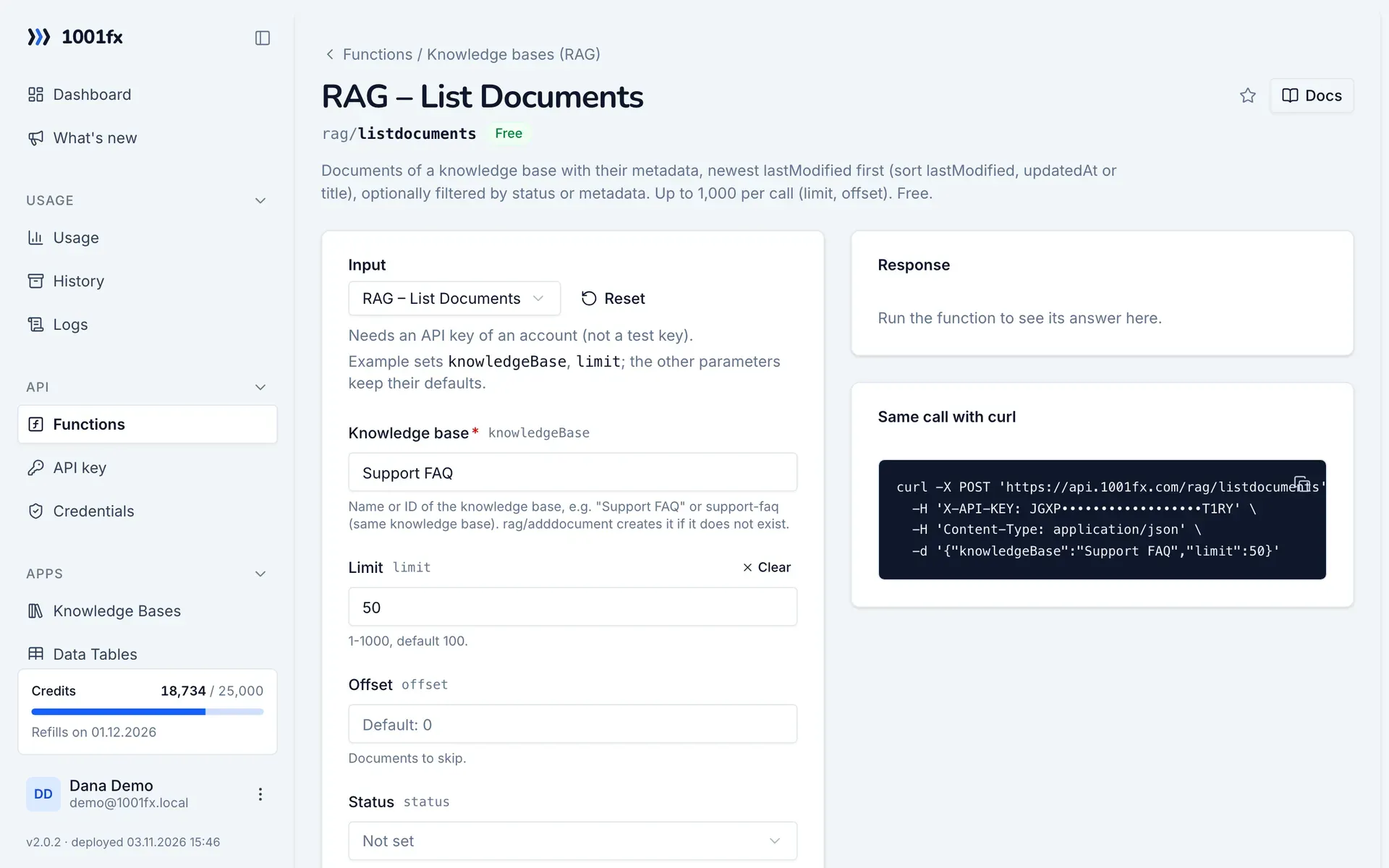
listdocuments in the 1001fx app: the form with example values
RAG – List Documents in the 1001fx app

Endpoint

POSThttps://api.1001fx.com/rag/listdocuments
Header
X-API-KEY: YOURSECRETAPIKEY How to
Content type
application/json

Parameters

  • knowledgeBasestringrequired

    Name or ID of the knowledge base, e.g. "Support FAQ" or support-faq (same knowledge base). rag/adddocument creates it if it does not exist.

    Example:
    Support FAQ
  • limitnumberoptional

    1-1000, default 100.

    Default:
    100
    Min:
    1
    Max:
    1000
  • offsetnumberoptional

    Documents to skip.

    Default:
    0
    Min:
    0
  • statusenumoptional

    Only documents with this status.

    Values:
    queued
    processing
    ready
    failed
  • sortenumoptional

    lastModified (default, newest first), updatedAt or title.

    Values:
    lastModified
    updatedAt
    title
    Default:
    lastModified
  • filteranyoptional

    Only documents whose metadata match. Object {"department": "billing", "lastModified": {"$gte": "2026-01-01"}} (operators $eq $ne $in $nin $gt $gte $lt $lte $exists $contains, $and $or $not) or array [{"key", "operator", "value", "type"}] (all must match).

  • filterJsonstringoptional

    The filter as JSON text, e.g. for OR conditions from Make: {"$or": [{"department": "billing"}, {"department": "sales"}]}.

Examples

RAG – List Documents

Needs an API key of an account (not a test key).

Input

Expects a json body
{
  "knowledgeBase": "Support FAQ",
  "limit": 50
}

Output · HTTP 200

Response
{
  "statusCode": 200
}
Show curl command
curl -X POST 'https://api.1001fx.com/rag/listdocuments' \
  -H 'X-API-KEY: YOURSECRETAPIKEY' \
  -H 'Content-Type: application/json' \
  -d '{"knowledgeBase":"Support FAQ","limit":50}'

Try listdocuments now

Run it in your browser or create a free account and get 100 credits every month.

Changelog

  • 1.0.002.11.2026created
Ask 1001fx